Prepare the record.
Open PerioVox in a compatible device’s browser and allow microphone access. You do not need a special electronic probe or a desktop installation. Dictation uses your voice to enter the measurements you obtain during the examination.
Before starting, confirm the patient, visit and ADA or FDI numbering system you will use. Check the microphone and that dictation can be understood in the working environment. Using technology does not remove the need to check the resulting record.
Examine and dictate naturally.
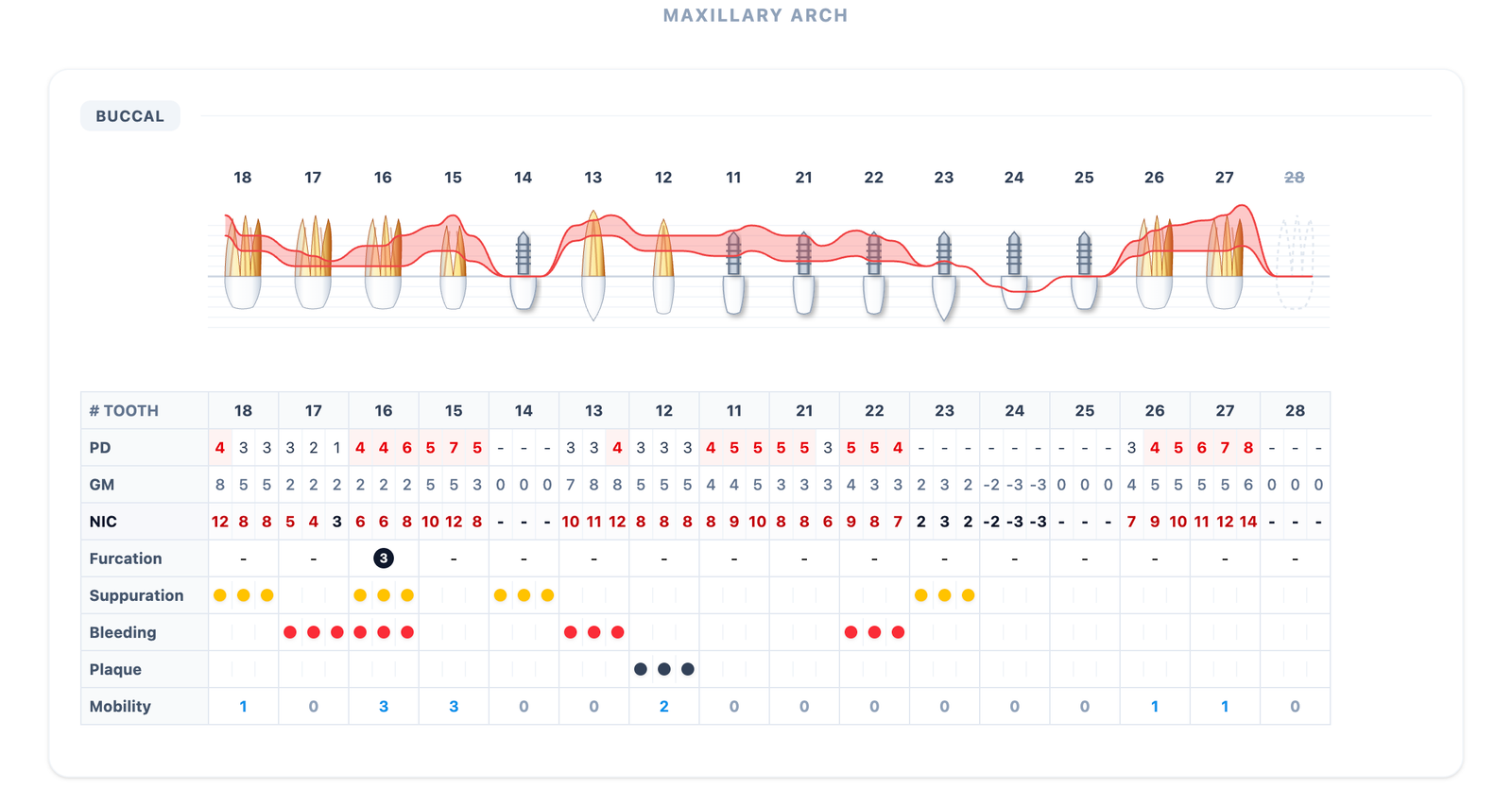
Dictate probing depths, gingival margin and recession, bleeding, suppuration, plaque, mobility, furcation and clinical notes. The information needs to identify the relevant tooth and site in the charting sequence.
These examples illustrate entry using FDI tooth numbering:
- Eighteen: four, three, three.
- Add bleeding on the distal of seventeen.
- Correct the buccal of sixteen: four, four, six.
The clinician measures. Voice communicates. PerioVox organizes. The clinician reviews.
Corrections belong in the workflow.
If you notice a discrepancy, make a correction or return to an earlier tooth without restarting the record. Check the tooth, surface and updated values on screen before continuing.
The aim is to chart without depending on another person to type every measurement. This does not mean speech recognition is infallible: clinical review of recorded information remains part of the process.
97 dictation languages. Three interface languages.
PerioVox uses Gemini Live to understand and structure dictation in 97 languages. The app interface is available in English, Spanish and French; this website is in English and Spanish. These are separate capabilities: your spoken language does not have to be the language used in the menus.
Keep tooth and site identification clear throughout the record. Website screenshots are in English to provide a consistent visual reference for professionals in different countries.
What happens after dictation?
Your periodontal chart becomes a reference for later visits. PerioVox also supports visit comparisons, visual tools such as Lang and IDRA, and patient reports with QR access. Export CSV data for case review, audits or research.
PerioVox is free and always will be. The platform’s free use does not automatically make every third-party integration or market-specific protocol available. Check the relevant availability when it matters to your workflow.
Frequently asked questions
Do I need an assistant to enter measurements?
You do not need another person to type them. Dictate during your examination and review the result on screen.
Do I need to buy a special probe?
No. Perform the examination with your everyday periodontal probe. Dictation requires a compatible device with a microphone and browser.
Can I correct a tooth I have already charted?
Yes. Make corrections and return to earlier teeth. Then check that the updated record matches your examination.
Information for dental professionals. Records and support tools require clinical review; they do not replace diagnosis or treatment decisions.